STM32 Build Systems Decoded: From CubeMX to CMake & Makefiles
From Code Gen to Meta-Build: Mastering STM32 Project Management
Welcome back to the system theory class. You raised a brilliant question regarding Project Management in Embedded Systems.
In the past, embedded engineers often treated the IDE as a “black box”—we’d click “Build” and hope for the best. However, as projects scale, understanding the underlying build architecture becomes crucial. Based on the evolution of tools from STM32 and the open-source community, here is the breakdown of the modern build ecosystem.
1. STM32CubeMX: The Architect
If programming is like building a house, STM32CubeMX is the architect drawing the blueprints and laying the foundation.
- The Role: It is a graphical tool that abstracts hardware complexity. Instead of reading 100+ pages of datasheets to configure a UART pin or calculate the clock tree, you interact with a GUI.
- Key Functions:
- Pinout Configuration: Visualizes pin mapping and solves hardware conflicts automatically.
- Clock Tree: Simplifies complex frequency setups for CPU and Buses.
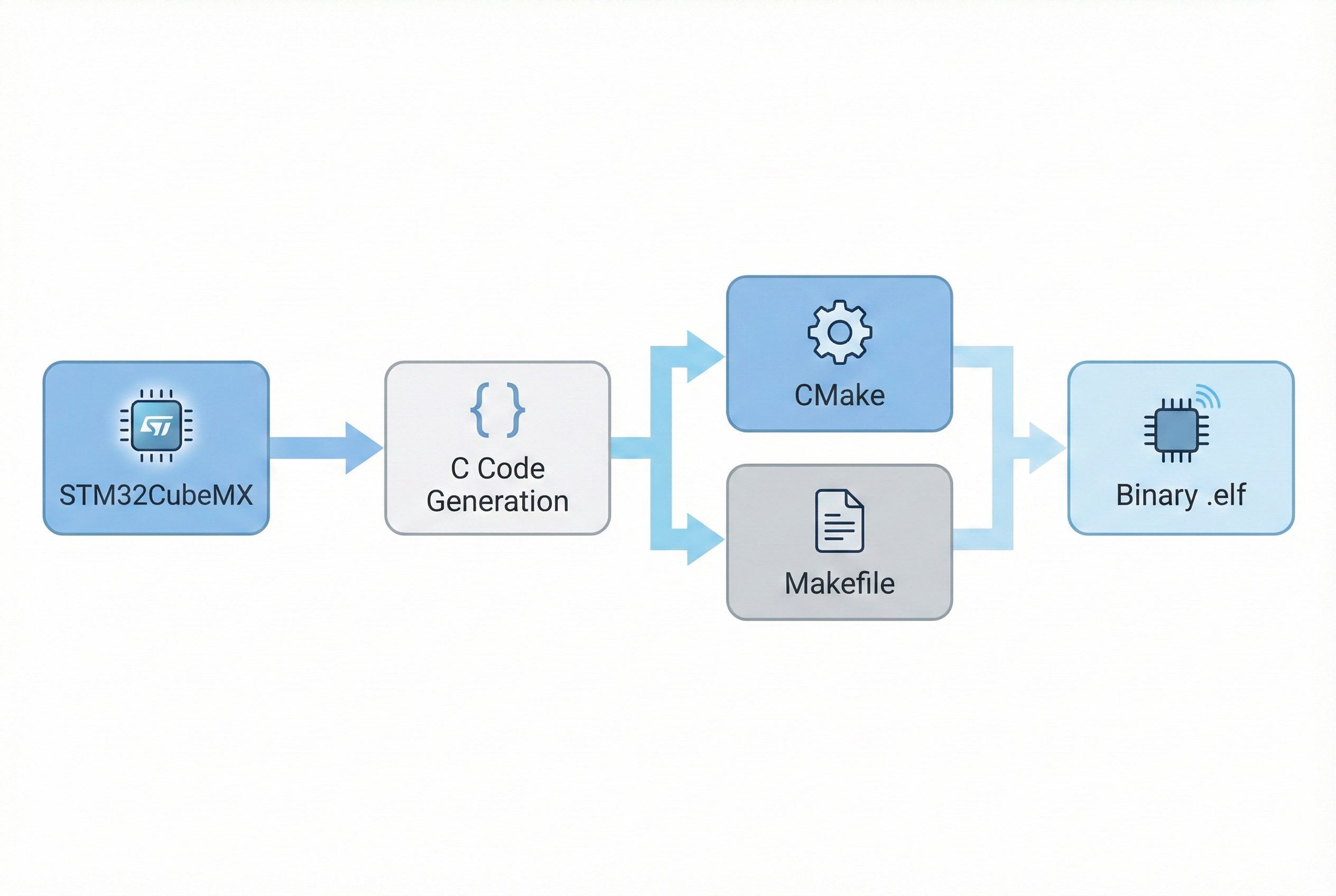
- Code Generation: It generates the Project Skeleton and initialization code (HAL drivers,
main.c) in C, ready for development.
- Flexibility: It supports generating projects for IAR, Keil, and GCC-based IDEs (including STM32CubeIDE).
Note: CubeMX is the best starting point for reducing “Hardware Bring-up” time.
2. Make / Makefile: The Manual Labor
If CubeMX is the architect, Make is the foreman executing the construction plan (The Makefile).
- The Role: An automation tool that controls the generation of executables. It replaces the need to manually type commands like
gcc main.c -o main.ofor every single file. - Structure: It relies on Rules, Targets, and Recipes. For example: “If
main.cchanges, re-compile it.” - Pros vs. Cons:
- Pros: Maximum flexibility and control. Ideal for CI/CD pipelines and automated testing.
- Cons: Strict syntax (tabs vs spaces matters) and managing dependencies for large projects can become a nightmare.
3. CMake: The Modern Manager
CMake is the modern standard and the “Meta-Build System” that bridges the gap between complex codebases and build tools.
- The Role: CMake doesn’t build the code itself. You write a
CMakeLists.txt(which is human-readable), and CMake generates the Build Files (Makefiles, Ninja, or Visual Studio solutions) based on your platform. - The “Why”:
- Cross-Platform: Write once, build anywhere (Windows, Linux, macOS).
- Dependency Management: Features like
FetchContentallow you to automatically download and link external libraries. - Modern Integration: New versions of STM32CubeIDE and VS Code have excellent native support for CMake.
4. The Evolution of Development Environments
From your research sources, we can categorize the tools into three eras:
- The Classic Era (Proprietary): Tools like Keil MDK and IAR EWARM. Excellent compilers but expensive and rigidly tied to their own IDEs.
- The Open Source Era (Fragmented): Eclipse + GCC + Custom Makefiles. Free, but extremely difficult to set up and maintain.
- The Modern Ecosystem (Unified): STM32CubeIDE.
- Integrates CubeMX for config.
- Uses Eclipse/CDT for coding.
- Uses GCC/GDB for building and debugging.
- Verdict: It combines the best of free open-source tools with professional integration.
Conclusion & Next Steps
- For Beginners: Stick to STM32CubeIDE. Let the internal CubeMX handle the project generation. It is the path of least resistance.
- For Pros/Teams: Learn CMake. It decouples your code from a specific IDE, allowing your team to use VS Code, CLion, or Eclipse interchangeably while maintaining a robust build process.
Would you like me to provide a template for a basic CMakeLists.txt tailored for an STM32 project?