Understanding Scope and Lifetime in C++: Variable Boundaries Every Developer Must Know

Demystifying Variable Boundaries and Memory Timelines
Hello fellow developers and hardware enthusiasts at 123microcontroller.com! Welcome back. After covering the core C++ program structure and data types, today we are taking a deep dive into another vital fundamental concept: the Scope and Lifetime of variables.
When you first start programming, you might frequently encounter errors like “variable not declared in this scope” or wonder why a variable mysteriously lost its value. These symptoms usually stem from a lack of deep understanding regarding Scope and Lifetime.
To visualize it: “Scope” is like the specific “office room” where an employee (the variable) is authorized to work. Meanwhile, “Lifetime” is the “working shift hours” of that employee. Understanding that these are two strictly separate concepts in C++ will help you write memory-safe code—an absolute necessity when dodging bugs in resource-constrained systems like microcontrollers!
Core Concepts: Scope vs. Lifetime
Official C++ documentation clearly distinguishes between Scope and Lifetime. They are entirely separate dimensions that govern how your code behaves:
1. Scope (Visibility)
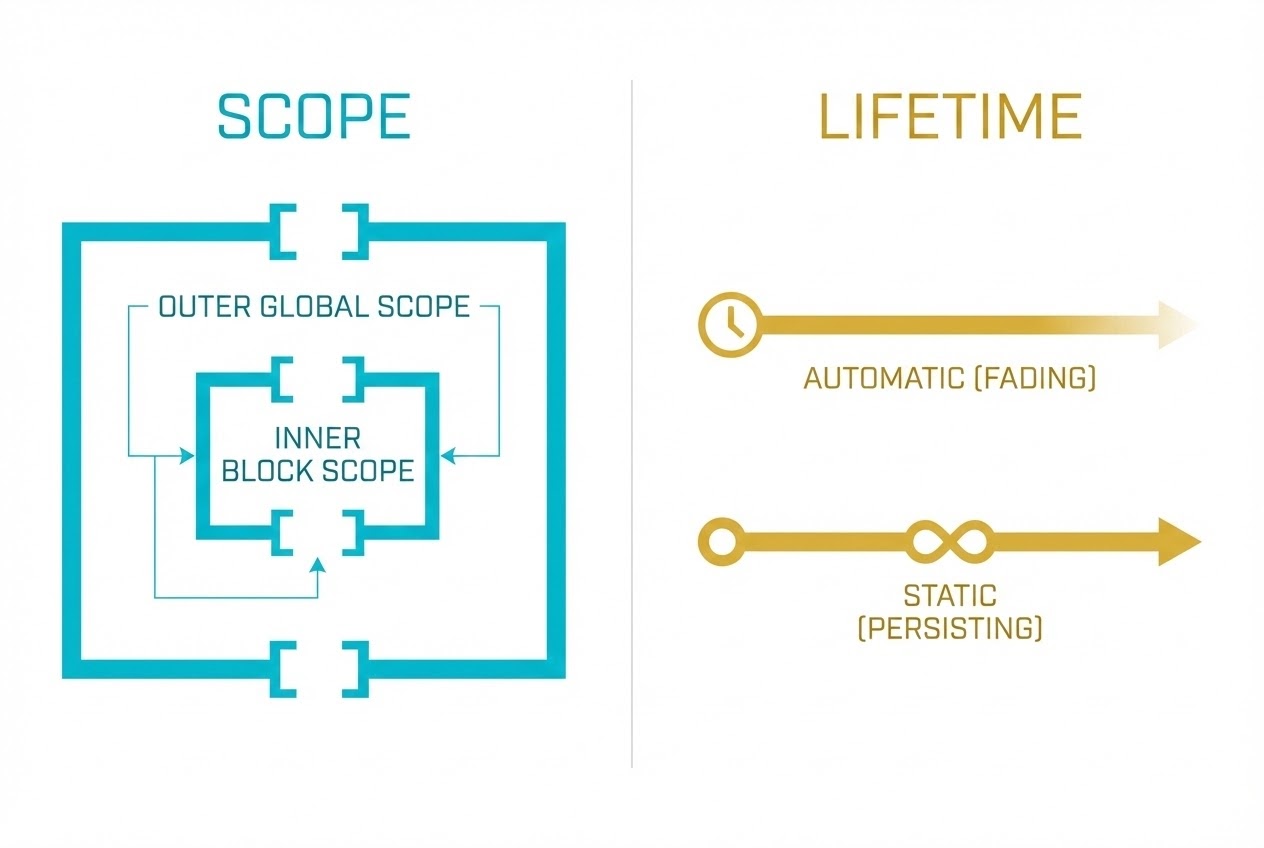
Scope is the spatial dimension in your source code. It dictates where a variable name is visible and legally accessible. If you attempt to access a variable outside its designated scope, the compiler will instantly throw an error. The main types include:
- Local Scope (or Block Scope): Variables declared within curly braces
{ ... }(such as inside a function or aforloop) are strictly known only within that specific block. - Global Scope: Variables declared outside of all functions block. They can be accessed from any point in the file from the moment they are declared right down to the end of the file.
- Function Shadowing: If you nest code blocks and declare an inner variable with the exact same name as an outer variable, the inner variable will “shadow” (hide) the outer one. Within that inner block, the compiler only sees the inner variable.
- Scope Resolution Operator (
::): If a local variable shadows a global variable, but you intentionally need to retrieve or modify the global one, you can prefix the variable name with::to explicitly target the global scope.
2. Lifetime / Storage Duration
Lifetime is the temporal dimension. It defines how long a variable actually occupies physical memory space during the program’s runtime (Execution time). There are main storage durations in C++:
- Automatic Storage Duration (Stack Memory): This applies to standard local variables. The system automatically provisions memory for them when execution enters their block, and violently destroys them (freeing the memory) the exact moment execution exits the block (at the closing
}). - Static Storage Duration: Global variables, or local variables prefixed with the
statickeyword, possess this duration. They are allocated in memory exactly once when the program starts and stubbornly persist until the program terminates. - Dynamic Storage Duration (Heap Memory): This is memory you manually allocate using the
newkeyword. Its lifetime begins the moment you request it and will intentionally never expire (even outside the original scope) until you explicitly destroy it using thedeletecommand.
Code Example: Clean Architecture
Let’s look at a clean code snippet demonstrating how Scope and Lifetime interact:
#include <iostream>

// 1. Global Variable: Global Scope and Static Lifetime (Persists until program ends)
int power_level = 100;

void boostPower() {
    // 2. Local Variable: Block Scope and Automatic Lifetime (Created on entry, destroyed on exit)
    int boost_amount = 50;

    // 3. Static Local Variable: Block Scope but Static Lifetime (Value persists across function calls)
    static int usage_count = 0;
    usage_count++;

    // 4. Shadowing: Declaring a local variable that hides the global 'power_level'
    int power_level = 9000;

    std::cout << "Local power_level: " << power_level << "\n"; // Prints 9000
    // Using '::' to bypass the shadow and access the Global Scope
    std::cout << "Global power_level: " << ::power_level << "\n"; // Prints 100

    ::power_level += boost_amount; // Updating the Global 'power_level'
    std::cout << "Boosted! Usage count: " << usage_count << "\n";
} // At this closing brace '}', 'boost_amount' and local 'power_level' are destroyed. 'usage_count' survives.

int main() {
    boostPower();
    std::cout << "After boost 1: " << power_level << "\n"; // Prints 150
    boostPower();
    std::cout << "After boost 2: " << power_level << "\n"; // Prints 200

    // std::cout << boost_amount; // Compiler Error! 'boost_amount' is out of scope.

    return 0;
}
Best Practices for Safe Memory
To keep your firmware clean and safe from catastrophic bugs, here are SEI CERT C++ standard recommendations:
- Avoid Global Variables Where Possible: Letting every function access and mutate the same variable seems easy, but it is a debugging nightmare. You lose tracking of who changed what and when. Furthermore, globals permanently consume precious RAM. Only use them for read-only global constants.
- Keep Scopes as Small as Possible: Restricting a variable’s scope to precisely where it is needed saves hardware resources and makes your programming logic infinitely easier to read and maintain.
- Never Return Pointers/References to Local Variables: Because automatic local variables are instantly destroyed when a function ends, returning a pointer to one creates a notorious “Dangling Pointer”. It will point to invalid, garbage memory, leading to unpredictable crashes.
- Beware of Scope-Induced Memory Leaks: If you allocate memory dynamically on the heap using
new, the memory block’s Lifetime is dynamic, but the pointer variable holding its address has an Automatic block scope. If you exit the block without callingdelete, the pointer is destroyed, you lose the address, but the heap memory remains locked forever. This causes a memory leak!
Conclusion
To sum it up: Scope dictates “accessibility and visibility,” while Lifetime dictates “how long memory is physically consumed.” Comprehending the profound difference between the two not only smooths out your C++ learning curve but is absolutely critical for managing resource-constrained environments like embedded microcontrollers efficiently.
If you enjoyed this detailed breakdown and want to see how memory lifetimes are actively managed in actual microcontroller circuitry, stick around for more C++ tips and hardware projects at www.123microcontroller.com. Happy Coding!